
1. Introduction
The ISX API documentation supports a fully functional glossary app. All terms have been categorised with labels (i.e., technical, finance, AML, etc.). Each term, along with a definition, can also include abbreviations, synonyms & images. It has powerful search, filter & sort capabilities.
2. The glossary app
The glossary app is accessible via the Space apps ⇨ Glossary option in the side menu.
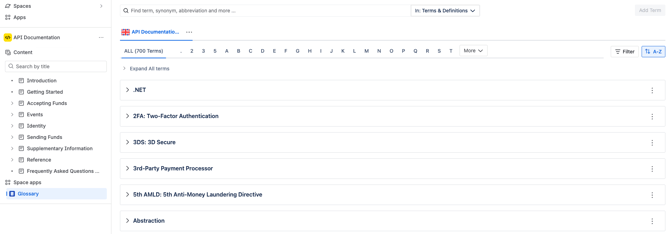
All terms in have been categorised with labels (i.e., technical, finance, AML, etc.).
Each term, along with a definition, can also include abbreviations, synonyms & images.
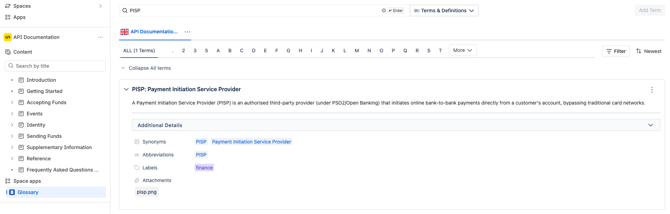
In the search field, enter the term that requires defining & press the Enter key.
⚠️ The glossary app is case-sensitive. For example, if an abbreviation or acronym requires defining, verify that it is entered in uppercase.
ℹ️ The glossary app will return a list of terms matching the search criteria. Click on the ‘down’ arrow next to each term to display the definition thereof.
The glossary app can be searched via terms, definitions, synonyms, abbreviations & labels.
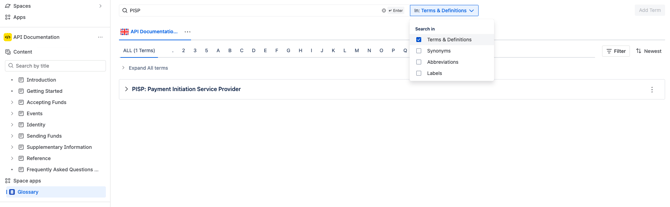
The glossary app has powerful search filters using labels, users, and creation dates.
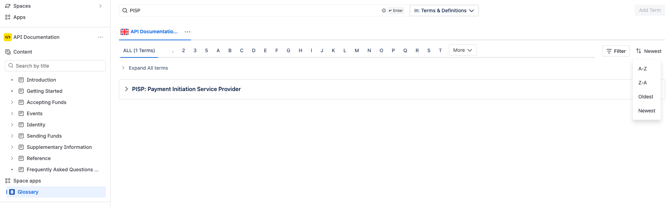
The search results in the glossary app can be alphabetically & chronologically sortable.
3. Video demo
Watch a quick demo of the glossary app below: