
1. Introduction
Paidby link is a convenient way to provide your customers with a secure and fast link in order to pay directly from their bank account, no matter where they are located.
2. Using Paidby link
Log into ISX Pay.
Using the 'Transactions' menu, select the 'Paidby Link' option.

Figure 1: The 'Paidby Link' option in the 'Transactions' menu
The 'Paidby link' page is loaded.
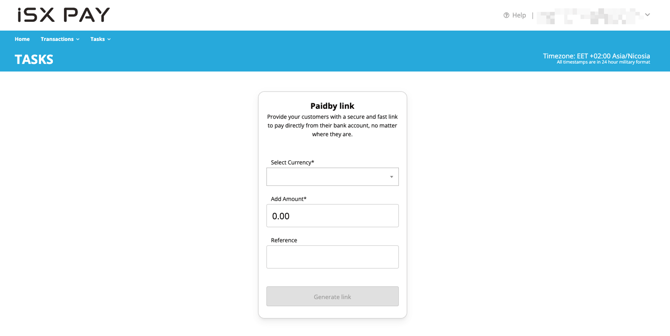
Figure 2: The 'Paidby link' page
Firstly, select the desired currency. This is a mandatory field.
.png?width=670&height=336&name=98cc5a0d-0197-4e6f-ae30-4c59604ad416%20(1).png)
Figure 3: Select the desired currency
Secondly, enter the desired amount. This is a mandatory field.
⚠️ Note regarding the amount format, we allow for a period (.) as a decimal separator – a comma (,) is not allowed.
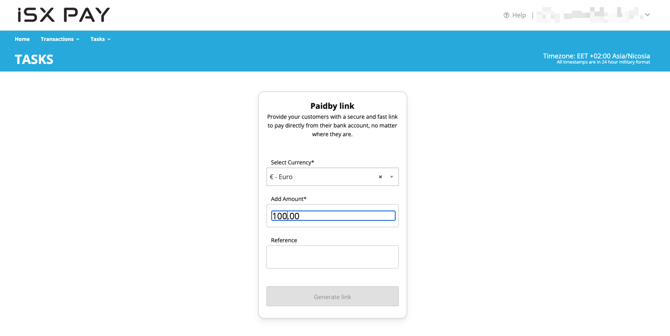
Figure 4: Enter an amount
Thirdly, provide a useful reference for the payment, if necessary. This is an optional field.
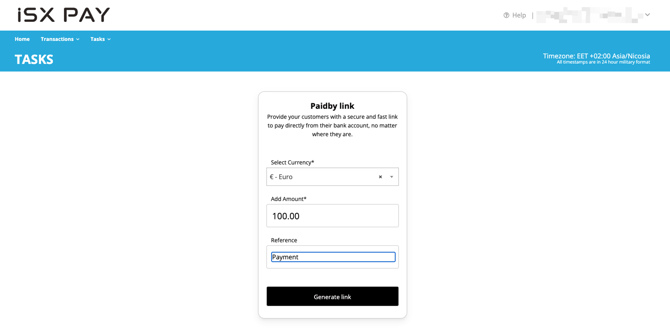
Figure 5: Enter a reference
ℹ️ When creating a transaction, you can enter a reference in the "Reference" field.
Then, you are able to search transactions with the above reference, selecting the filter "Merchant Reference".
Finally, click on the 'Generate link' button.
Then a shareable link is created in a newly loaded screen. This page incudes the following:
- The total amount entered, including the selected currency symbol.
- Reference text, if provided in the previous screen.
- The shareable link with a copy button.
- A 'Download QR code', which downloads an image containing the QR code of the shareable link.
- The shareable link can be shared using an SMS. Simply select the country of the recipient’s mobile number, enter the recipient’s mobile number in the relevant field, and click on the 'Send' button.
- A new link can be created by clicking on the 'Create a new link' button.
- An existing shareable link can be recreated by clicking on the 'Regenerate link' button.
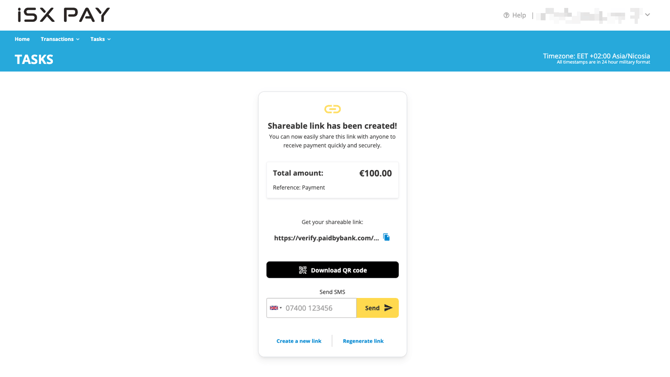
Figure 6: The shareable link is created
⚠️ If the mobile number is not entered correctly, a validation error message will result.
Whether the shareable link is clicked on or the downloaded QR code scanned, the Paidby link web app will be loaded in order to proceed with the payment.
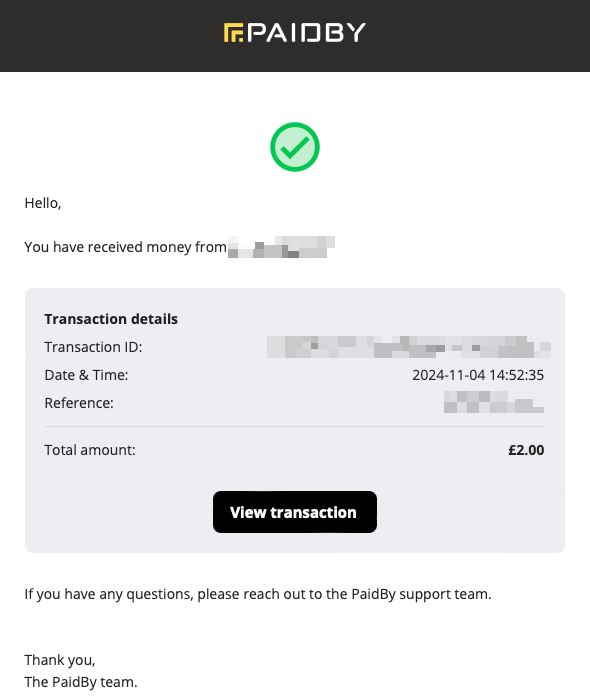
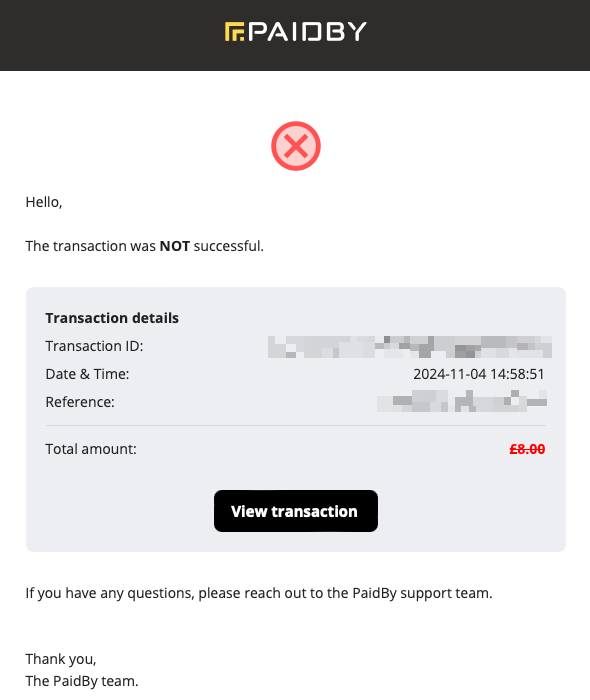
The following are emails that are sent to merchants, when funds are received or when transactions are rejected:
|
|
| Figure 7: Transaction successful email | Figure 8: Transaction rejected email |